
You choose what gets read
Nothing is read until you pick the apps yourself. One app or twenty — a bank app only, or messaging as well. Anything you didn't pick stays silent.
Speak Notify reads your notifications out loud, so you know who contacted you and what they said without picking up the phone.
Simple rules cut the account numbers and reference codes, so a long bank alert becomes one short sentence you can act on.
0
Words ever sent off your phone
No server, no logs, no uploads
Riders who cannot look at a screen. Market stalls waiting to hear a payment land. Hands covered in flour. People who would simply rather listen than read. Speak Notify was built for all of them.
See what it doesBeing read to is different from reading. Every one of these exists because the plain version does not work when you are moving.

Nothing is read until you pick the apps yourself. One app or twenty — a bank app only, or messaging as well. Anything you didn't pick stays silent.
4
Stop at a word, remove words, write your own sentence, and test it on a real message before you rely on it.
One profile for your bank apps, another for chat — each with its own apps, rules and voice. Both run at once, and you can pause one without losing it.
A chime before each message, a pause after the app name, adjustable speed, headphones-only mode and quiet hours for the night.
Payment notifications are full of noise: account numbers, reference codes, symbols read out one character at a time. Simple rules fix that — no formulas, no coding.
Transaction alert: A/C x-1234-5 credited THB 250.00 on 22/08 10:41, ref #TX9F42KQ. Available balance THB 8,412.63.
"You received 250 baht."
Nothing loads from YouTube until you press play. Watch on YouTube instead.
A short walk-through: picking the apps you want read, trimming a long payment alert down to the part that matters, and what it sounds like when a message arrives.
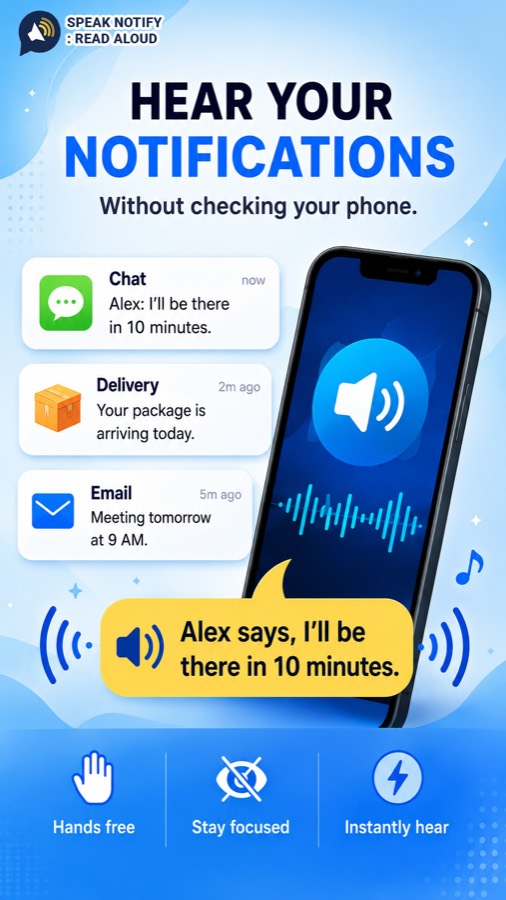
Notification text is turned into speech on your phone, spoken, and thrown away. It is never uploaded, never saved to a file, and never written to a log — there is no server behind this app for it to go to.
Unretouched captures from a phone, not mockups. The settings are plain on purpose — you set them once and then you never open the app again.
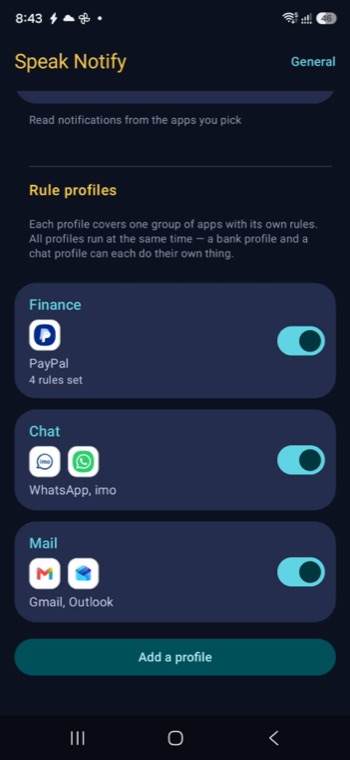
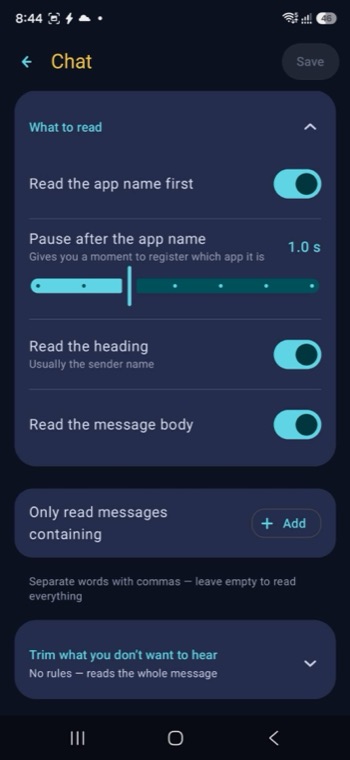
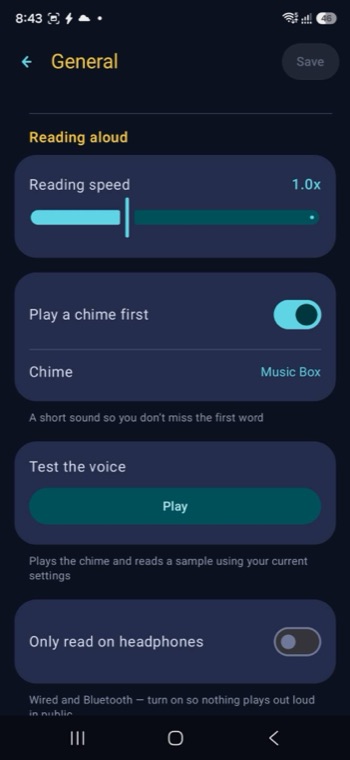
This app asks for notification access, the most sensitive permission on Android. These are our commitments, and every one of them is written into the privacy policy — not just this page. Reviews from real users will appear here once the app is on Google Play.
Notification text is spoken and then discarded. It is never uploaded, never saved to a file, and never written to a log — not even while we are debugging.
Nothing is stored
There is no account and no server behind this app. Even if we wanted your messages, there is nowhere for them to go.
No backend at all
No notification content is ever included in an ad request. The advertising system only starts up when you tap "Watch ad", and it cannot see notification data of any kind.
Ads cannot see it
Speak Notify is free on Google Play, for Android 8.0 and above. No account, no sign-up, and your notification text never leaves your phone.